


Artificial intelligence has completely rewritten the rules of photography, graphic design, and digital art. Not long ago, producing a breathtaking, hyper-realistic image or a cinematic portrait required thousands of dollars in camera gear, studio lighting, and decades of editing experience. Today, the entire creative process has been compressed into a single tool: words.
By mastering text-to-image prompts, anyone can guide an AI generator to build highly detailed, professional-grade visuals from scratch. Whether you want to generate eye-catching social media graphics, design conceptual assets, or elevate your photo manipulation skills, learning how to write effective descriptions is the ultimate creative superpower.
The Key Elements of a High-Converting Prompt
An AI image generator works like a brilliant, lightning-fast digital painter. However, it cannot read your mind. If your instructions are vague, the machine learning model is forced to guess the details, which usually leads to generic or uninspiring results. To get consistent, jaw-dropping outputs, your descriptions need structure.
A perfectly constructed prompt balances four core components:
- The Subject: The absolute focus of your image (e.g., a vintage leather jacket, an old wizard, a sleek electric sports car).
- Environment & Background: Where is the subject located? Describe the weather, the architecture, and the overall atmosphere (e.g., a rain-slicked alleyway in Tokyo, an overgrown dystopian greenhouse).
- Lighting & Color Palette: Lighting dictates the entire mood of the visual. Specify if you want neon cyberpunk highlights, moody cinematic shadows, or soft golden hour glow.
- Technical Camera Style: Tell the AI how to “shoot” the image. Mentioning specific camera terms like macro lens, close-up, wide-angle, or shallow depth of field forces the engine to mimic real-world optical physics.
Crafting Dramatic Cinematic Portraits
Creating lifelike human portraits is one of the most popular uses of visual AI, but it is also one of the hardest to get right. Standard text inputs often generate faces that look overly smoothed, synthetic, or plastic. To avoid this, you must think like a professional cinematographer.
Instead of simply describing a person’s features, describe the texture and the camera setup. Using phrases such as “shot on 85mm lens” or “intricate skin pores and natural imperfections” signals the generator to avoid artificial airbrushing.
Focus heavily on volumetric lighting—where light interacts with particles in the air—to add depth. Instructing the AI to include “subtle rim lighting highlighting the silhouette” or “dramatic side-lighting with heavy contrast” transforms a basic headshot into a high-budget movie poster.
Supercharging Your Photo Editing Workflow
Text-based AI isn’t just for creating new images from thin air; it has completely revolutionized how we modify and enhance existing photography. If you want to streamline this creative process, using a dedicated gemini ai photo prompt application is a massive game-changer. These specialized tools help bridge the gap between your raw ideas and the precise technical language required by advanced image engines, allowing you to fine-tune textures, backgrounds, and lighting profiles effortlessly.
When editing images via AI, specificity beats length every time. Instead of instructing the program to “fix the background,” give it exact coordinates and concepts, such as “replace the cluttered background with a minimalist, sun-drenched Scandinavian living room.” If you are adjusting colors, avoid generic terms like “make it pretty” and use industry terminology like “apply a muted color grading with deep teal shadows and warm orange highlights.”
Capturing the Energy of Festivals and Culture
Cultural events and festivals are incredibly complex for AI to render because they are packed with explosive motion, complex crowds, and intense color saturation. Capturing this vivid energy without creating a chaotic, blurry mess requires a strong emphasis on sensory details and structural balance.
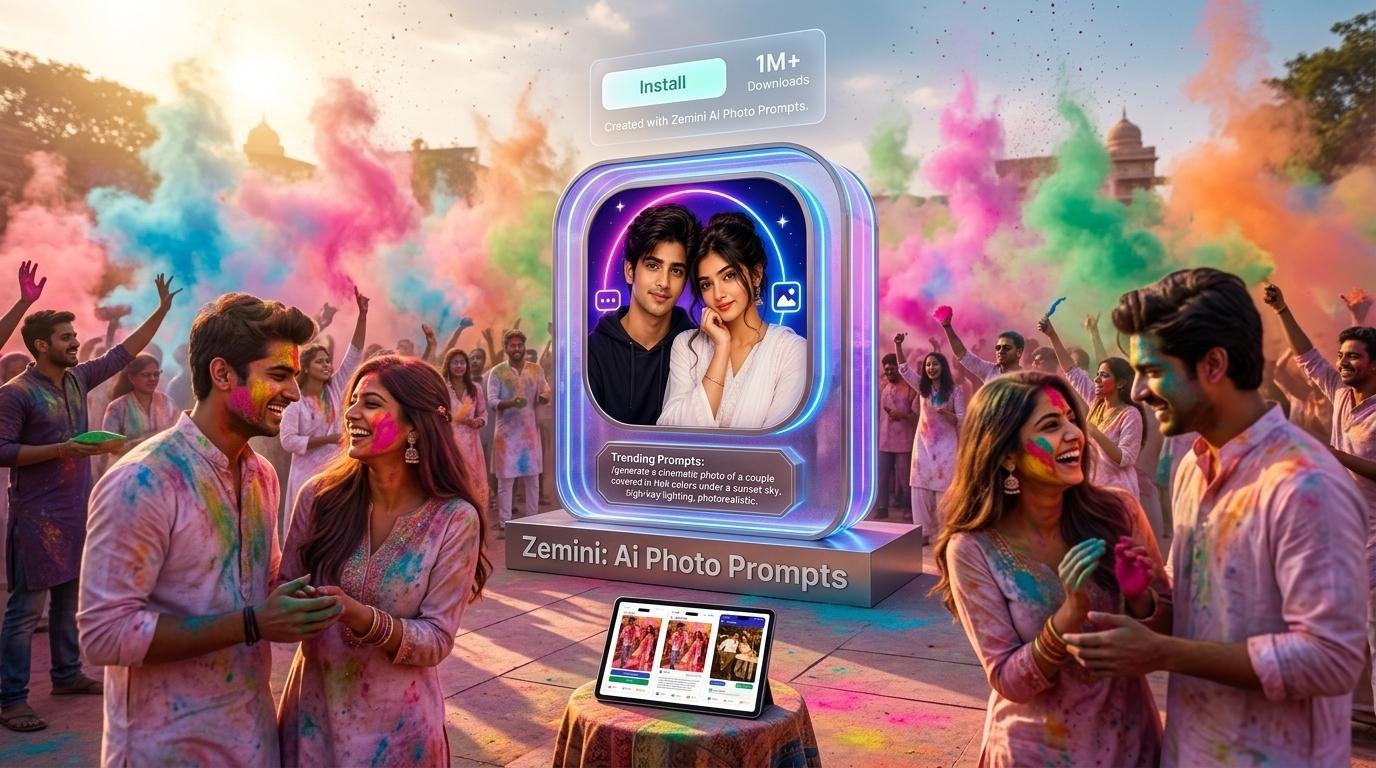
To create realistic festival images, focus on the interaction between light and movement. Don’t just ask for a festival crowd; describe the “swirling bursts of colorful powder suspended mid-air during a Holi celebration” or the “warm, flickering glow of thousands of floating lanterns reflecting across a calm river at night.”
To maintain crisp image quality, pair these high-energy scene descriptions with clean technical parameters. Utilizing a proven ai photo prompt architecture ensures the AI maintains sharp focal points on human subjects while keeping background motion blur looking fluid and natural rather than digitally distorted.
Pro Techniques for Flawless AI Generations
Once you understand the basics of prompt engineering, you can use advanced styling tricks to achieve absolute control over your digital canvas:
- Utilize Negative Prompting: Sometimes what you leave out is more important than what you put in. Use negative prompts to explicitly ban undesirable traits like “deformed hands, extra limbs, low resolution, duplicated objects, or oversaturated colors.”
- Experiment with Stylizers: Don’t limit yourself to hyper-realism. You can completely change the artistic medium by adding structural tags like “3D claymation style,” “vintage 1970s magazine print,” “cyberpunk watercolor,” or “architectural blueprint.”
- Mimic Master Photographers: If you want a specific aesthetic, reference real-world art history or photographic styles. Mentioning specific film stocks (like Kodak Portra 400) instructs the AI to copy the exact grain, contrast, and color balance of classic physical film.
Conclusion
The landscape of generative art evolves daily, but the primary rule remains constant: your output will only ever be as good as your input. By treating your text prompts as a beautiful blend of creative storytelling and precise technical direction, you unlock the keys to an infinite visual library. Start playing with different camera angles, lighting frameworks, and environmental textures today, and watch your wildest creative concepts materialize with flawless clarity.